Online booking. One connected operation.
Publish a customer booking flow, then manage the services, providers, schedules, locations, and policies behind each confirmed appointment.
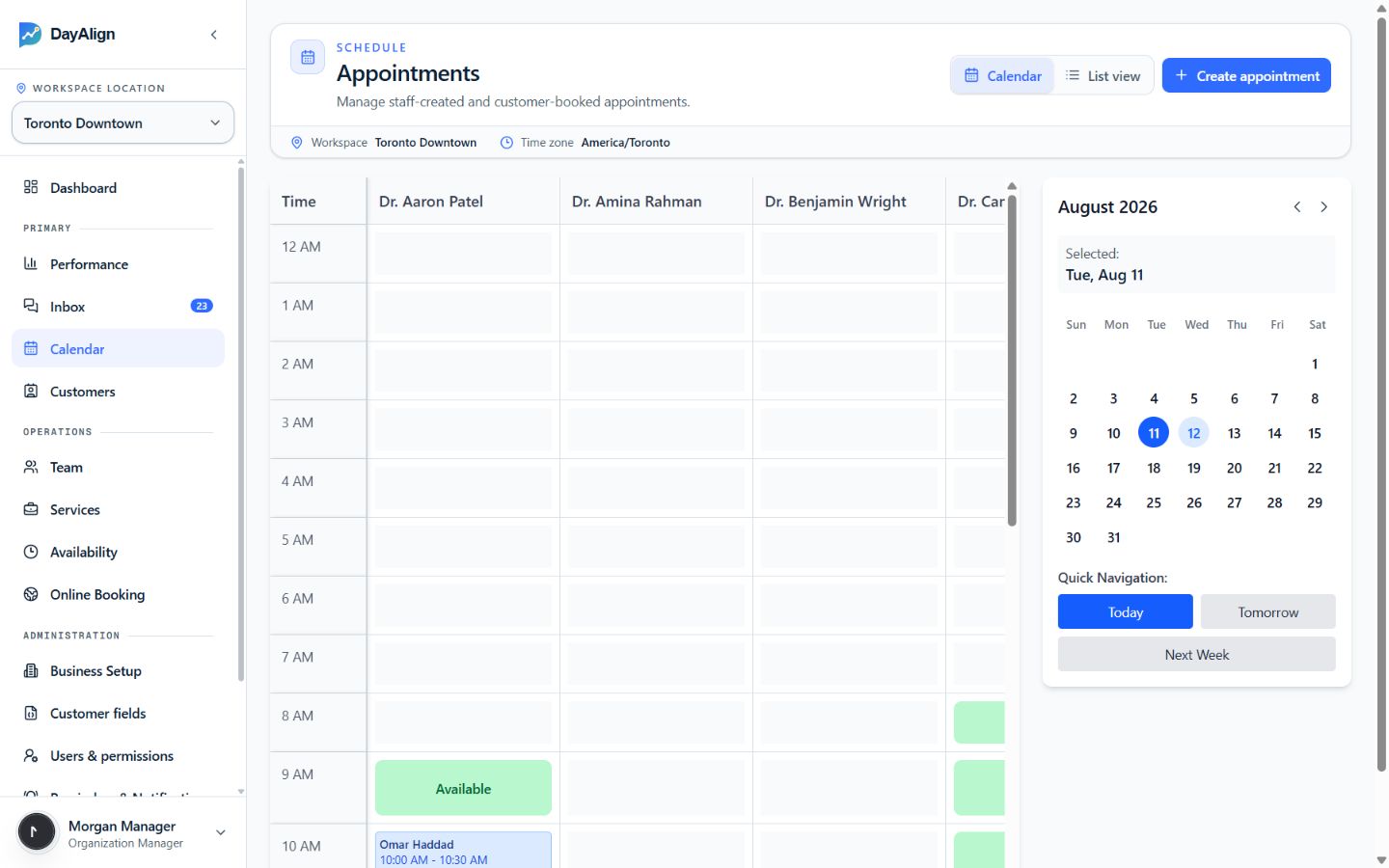
Booking is the front door.
The appointment stays connected to every team and customer workflow that follows.
Configure
- Storefront
- Publish a branded customer entry point.
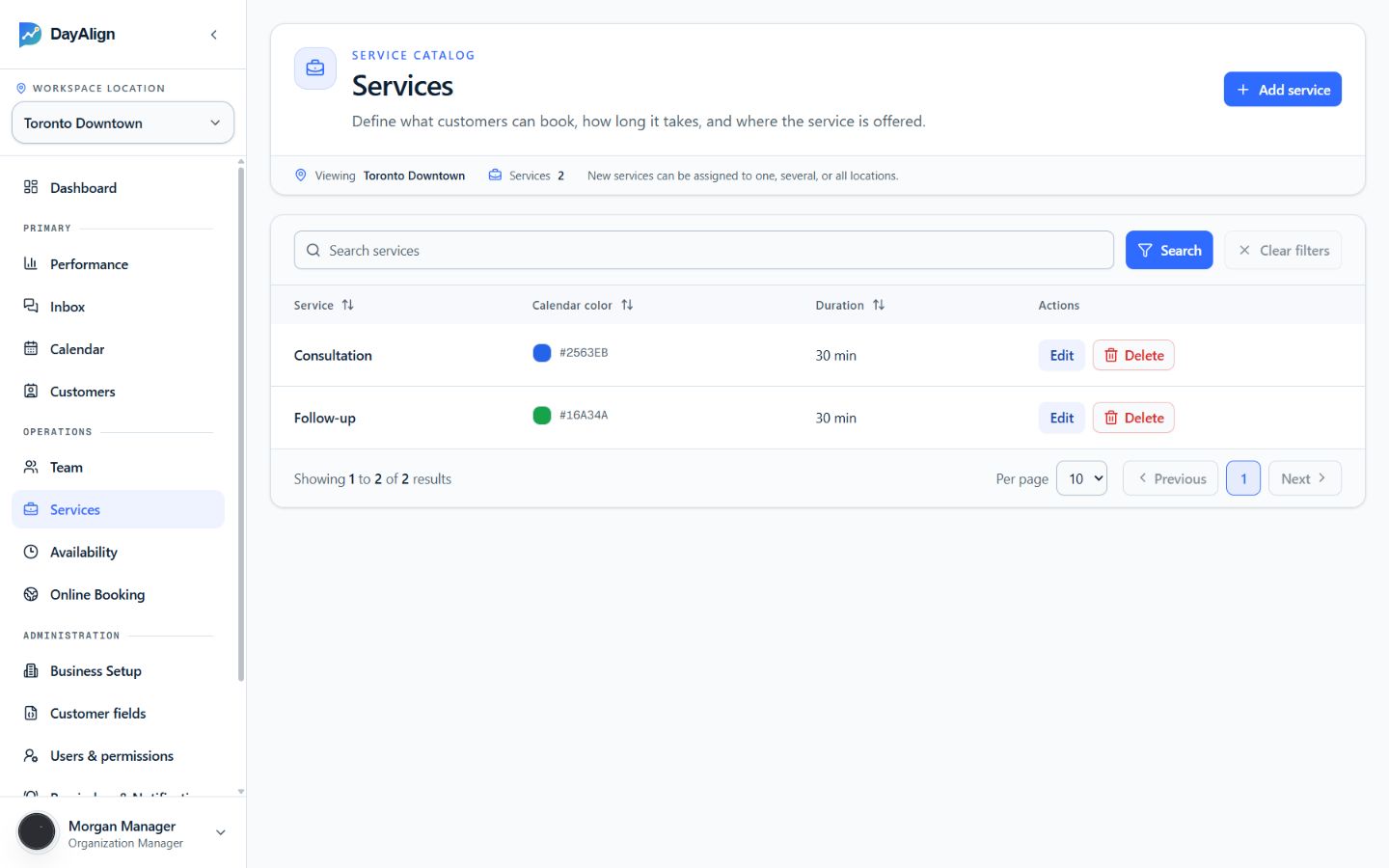
- Services
- Define duration, preparation, and location coverage.
- Availability
- Connect provider hours to eligible time slots.
Operate
- Calendar
- Manage staff-created and customer-booked appointments.
- Team
- Assign providers to services and locations.
- Locations
- Control hours, time zones, and local storefront details.
Follow through
- Customers
- Keep contact information connected to booking history.
- Conversations
- Handle changes with appointment context visible.
- Performance
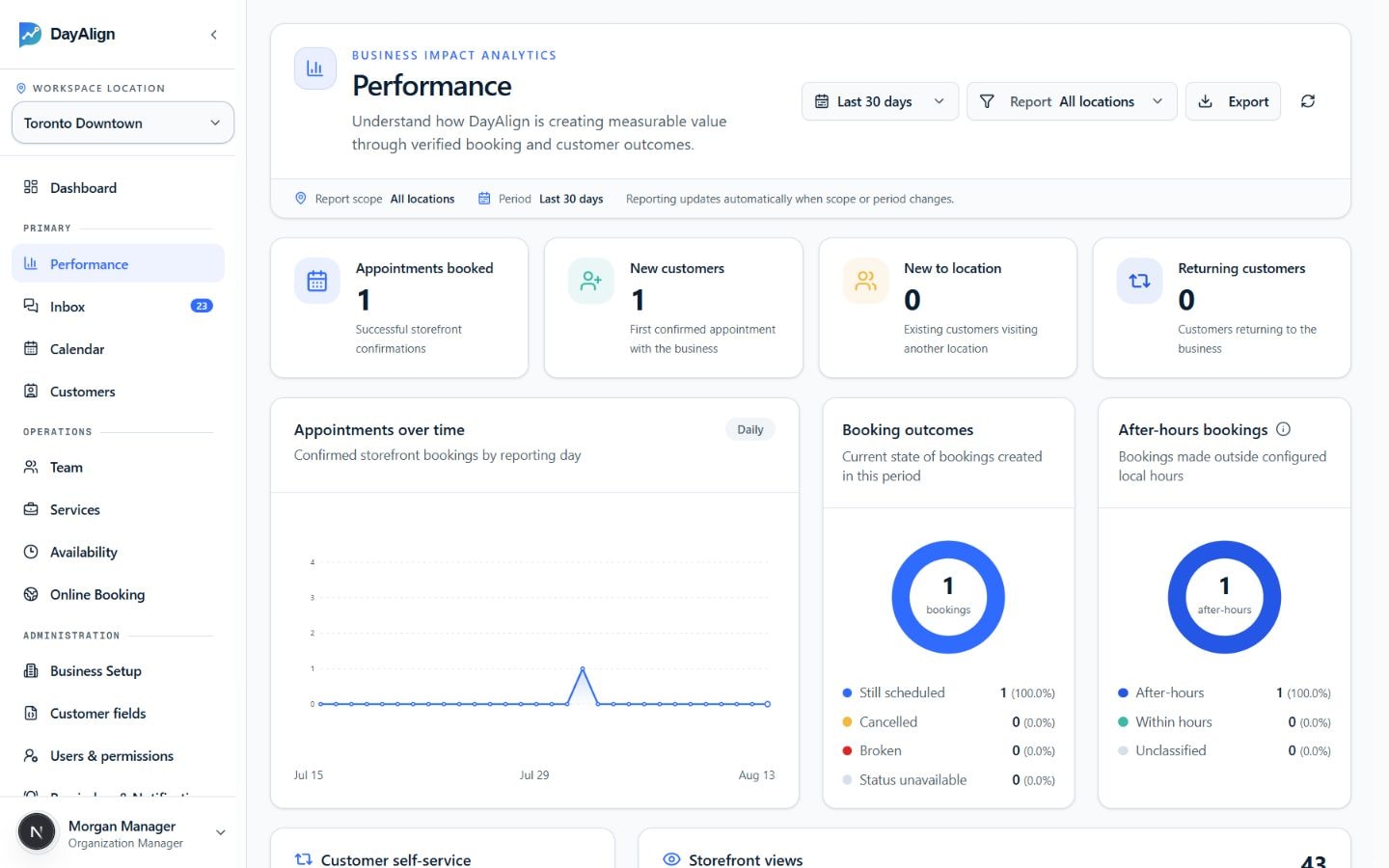
- Measure booking outcomes and customer growth.
Publish the booking experience.
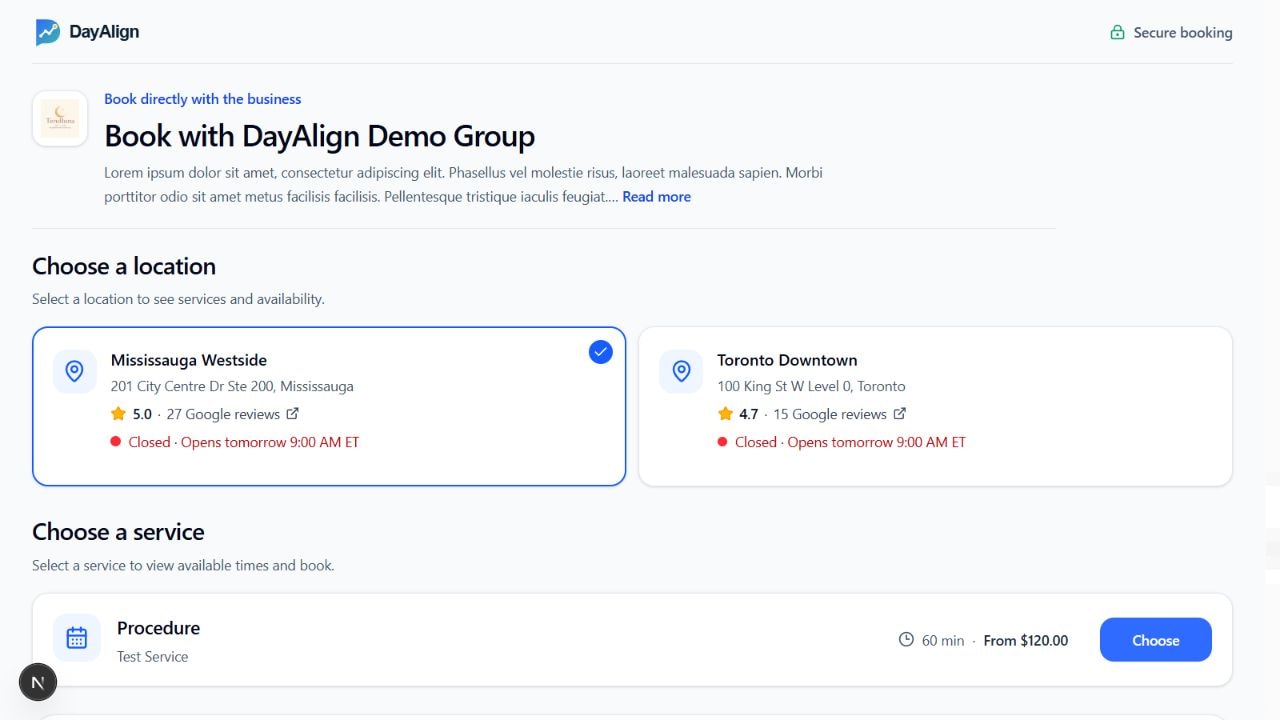
Give customers a clear path from your business page to the right location, service, and available time.
Start with the right location
Each location can publish its own address, hours, contact details, service catalog, and booking availability.
Explain the service before booking
Customers can review duration, preparation details, pricing guidance, and who the service is intended for.
Offer times the team can honor
The booking flow uses provider availability and location rules instead of displaying disconnected time slots.
Turn business rules into bookable time.
A published service only becomes bookable when its duration, eligible providers, location coverage, and working hours agree.
Coordinate people, access, and locations.
DayAlign keeps bookable providers, portal access, and location ownership separate, so growth does not require giving everyone the same control.
Team profiles control bookability
A provider profile records the services a person delivers, the locations they work from, and whether customers can see them during booking.
This keeps the customer experience aligned with the way the business actually assigns work.
Locations keep local operations local
Hours, time zones, contact details, service coverage, and publishing state remain attached to each location instead of becoming organization-wide assumptions.
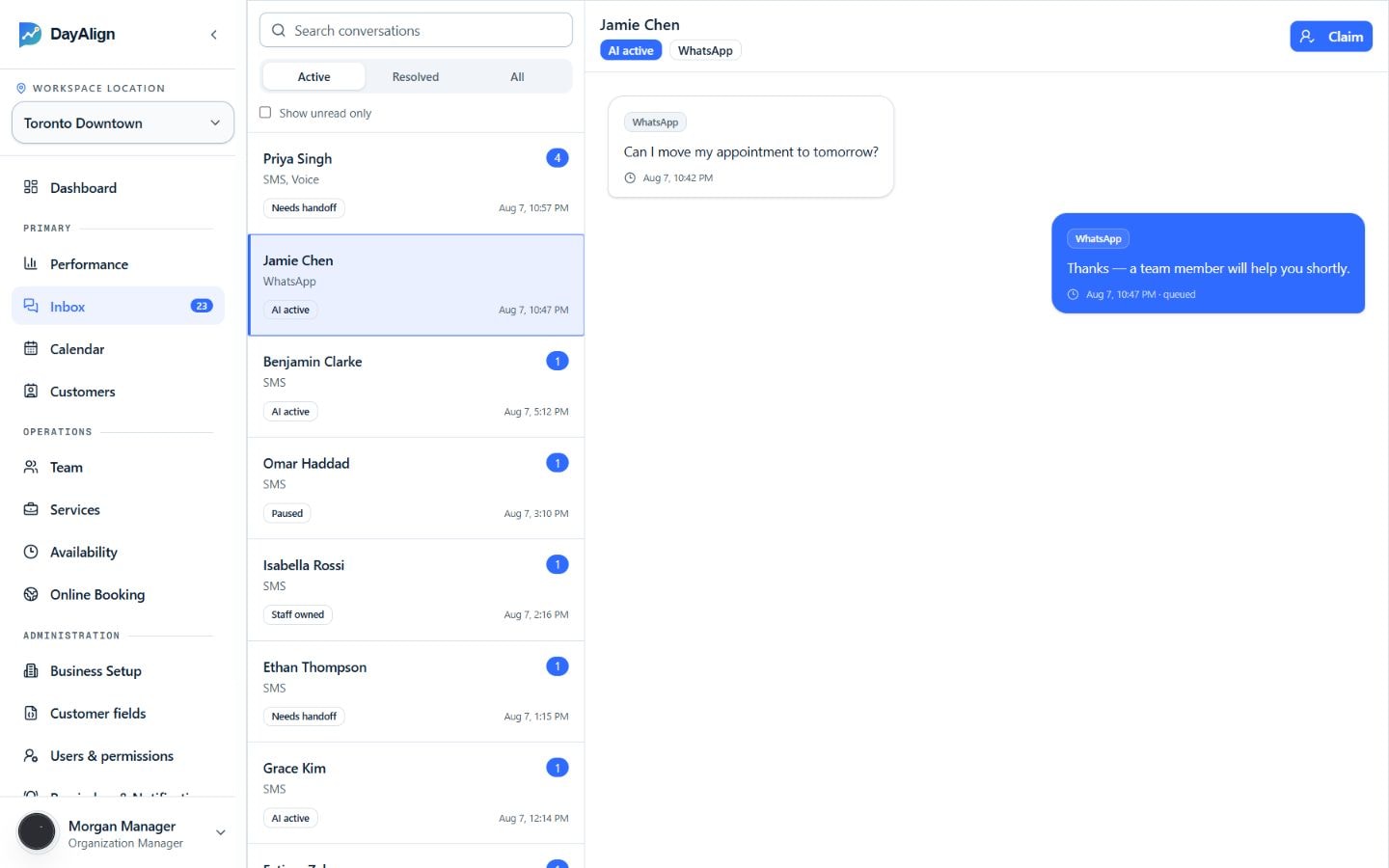
Keep context after confirmation.
Keep conversation history connected to the customer and the appointment it concerns.
See the customer and appointment together
Contact details, message history, and booking context stay available when a customer asks to change or clarify an appointment.
Make ownership explicit
Teams can use claim, handoff, and resolution controls with defined human ownership.
Keep follow-up searchable
Customer records remain available to the selected location, helping the team recognize prior contact instead of starting again.
Track what online booking produces.
Reporting reads from the same appointment and customer records used by the team, so results stay connected to real activity.
Understand demand
Compare booking volume over time and see when customers book outside configured business hours.
Follow customer growth
Separate new customers, returning customers, and customers visiting another location for the first time.
Review booking outcomes
See whether appointments remain scheduled, are cancelled, or become unavailable for reporting.
Online booking FAQ
Straight answers based on the current product rollout. Business-specific requirements are confirmed during discovery.
Can customers book without creating an account?
Yes. The hosted booking flow is designed for a focused customer journey with the minimum information needed by the business.
Can a business control which providers customers see?
Yes. A business can support a named provider, an any-provider option, or hide provider choice according to its policy.
What happens when online booking is unavailable?
The page can show a contact-business fallback instead of leaving the customer in a broken flow.
See how DayAlign fits your online booking.
We’ll map your services, booking rules, staff handoffs, and current systems before recommending a rollout.